🌐 Creating API Requests
E2E Test Automation provides flexibility by allowing you to create and manage HTTP requests in a seamless, easy-to-use interface. Each of these protocols has its unique features, and E2E Test Automation ensures that you can handle and automate testing for all three types of API communication.
This documentation will walk you through how to create these requests, explain when and why they are needed, and demonstrate real-world use cases.
📋 Understanding Request Types
HTTP Requests
HTTP Requests are the most common form of request used in modern APIs, following the HTTP protocol. HTTP is a request-response model typically used for RESTful APIs, where the client sends a request to the server, and the server returns the response.
Why HTTP Requests?
- Standardized and Widely Supported – HTTP APIs are used everywhere; virtually all modern web and mobile applications interact with HTTP APIs
- Simple to Implement – HTTP requests are easy to set up and use, making them ideal for most standard web services
🛠️ Creating an HTTP Request
Steps:
- Navigate to E2E Test Automation – Go to E2E Test Automation in the interface
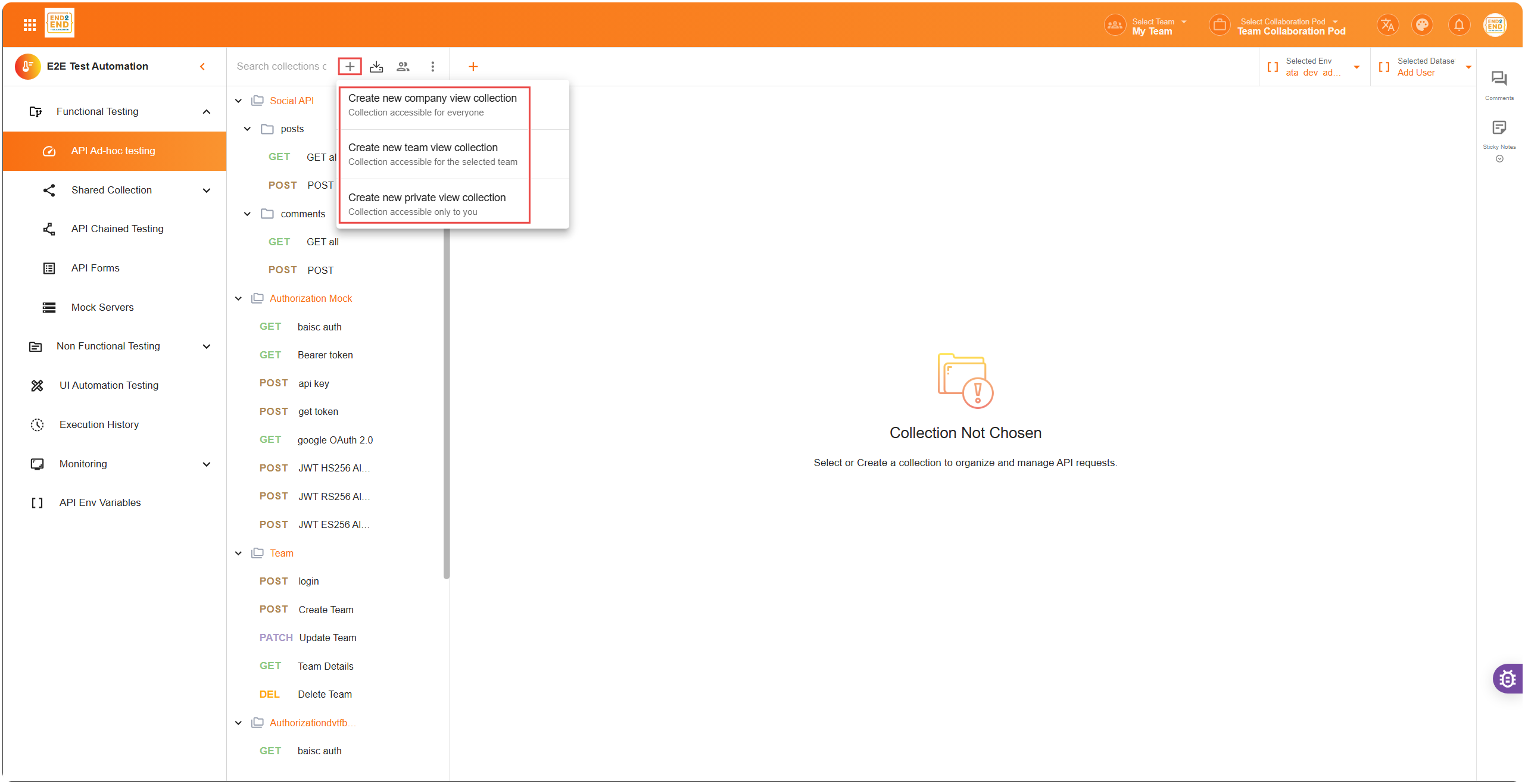
- Select or Create a Collection – If you don’t already have a collection, create one by clicking the ”+” icon at the top of the sidebar. Otherwise, select an existing collection
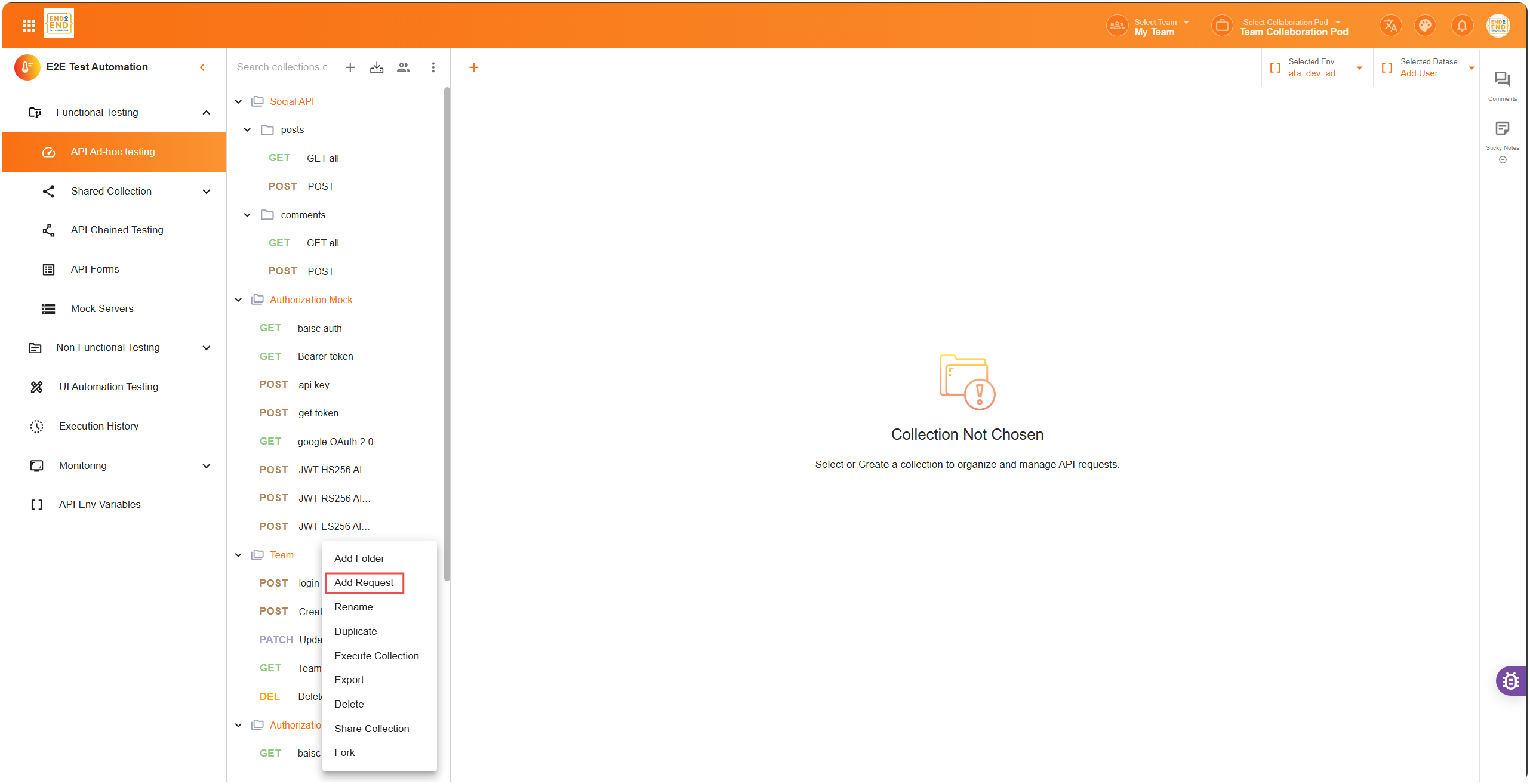
- Add New Request – Inside the collection, click “Add New Request” to start configuring the HTTP request
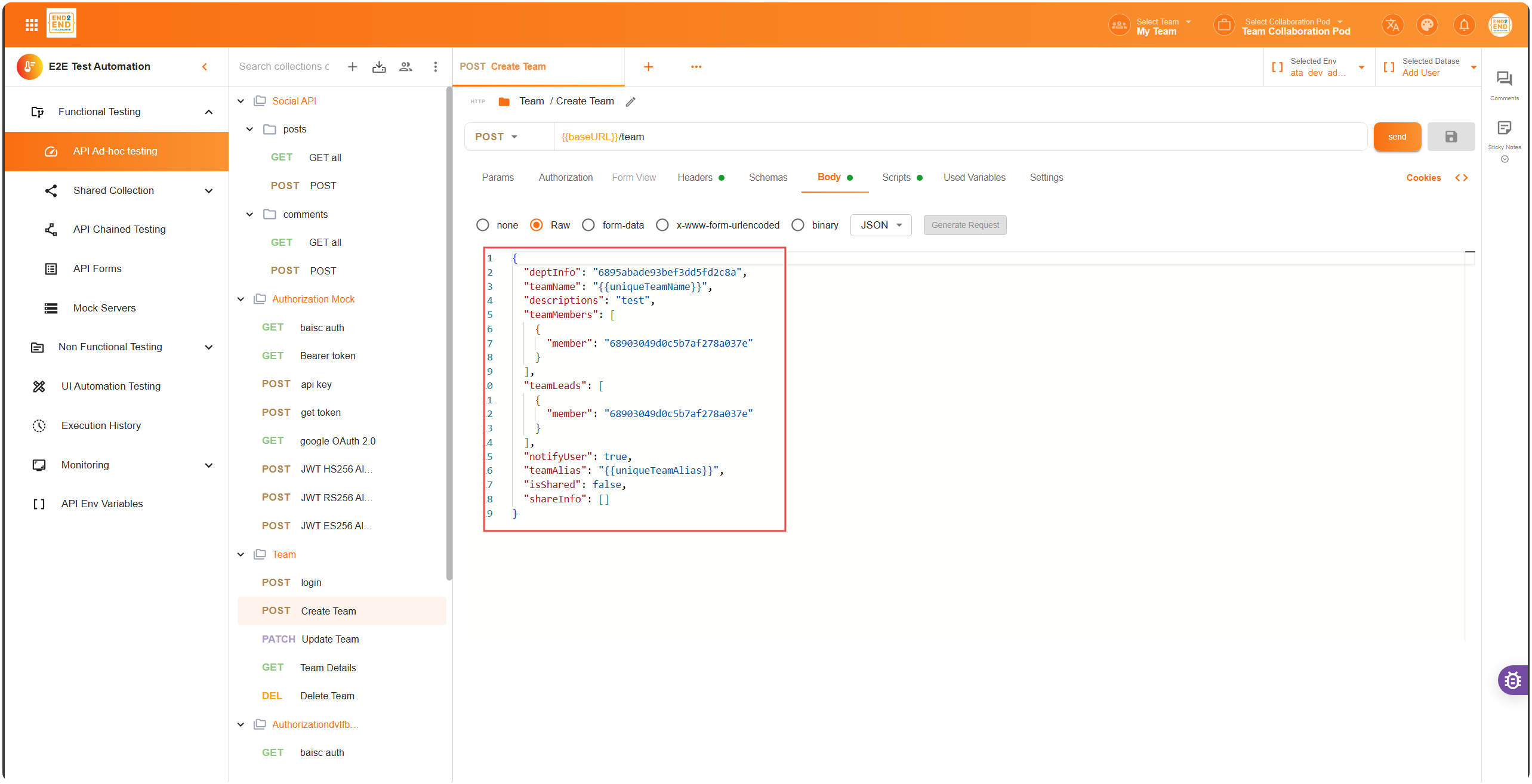
- Configure the Request:Example body for a POST request:
{ "name": "John Doe", "email": "john.doe@example.com" }- Request Name – Give your request a name (e.g.,
Get User Details) - Method – Choose the HTTP method (GET, POST, PUT, DELETE, etc.)
- URL – Enter the API endpoint URL (e.g.,
https://api.example.com/users/123) 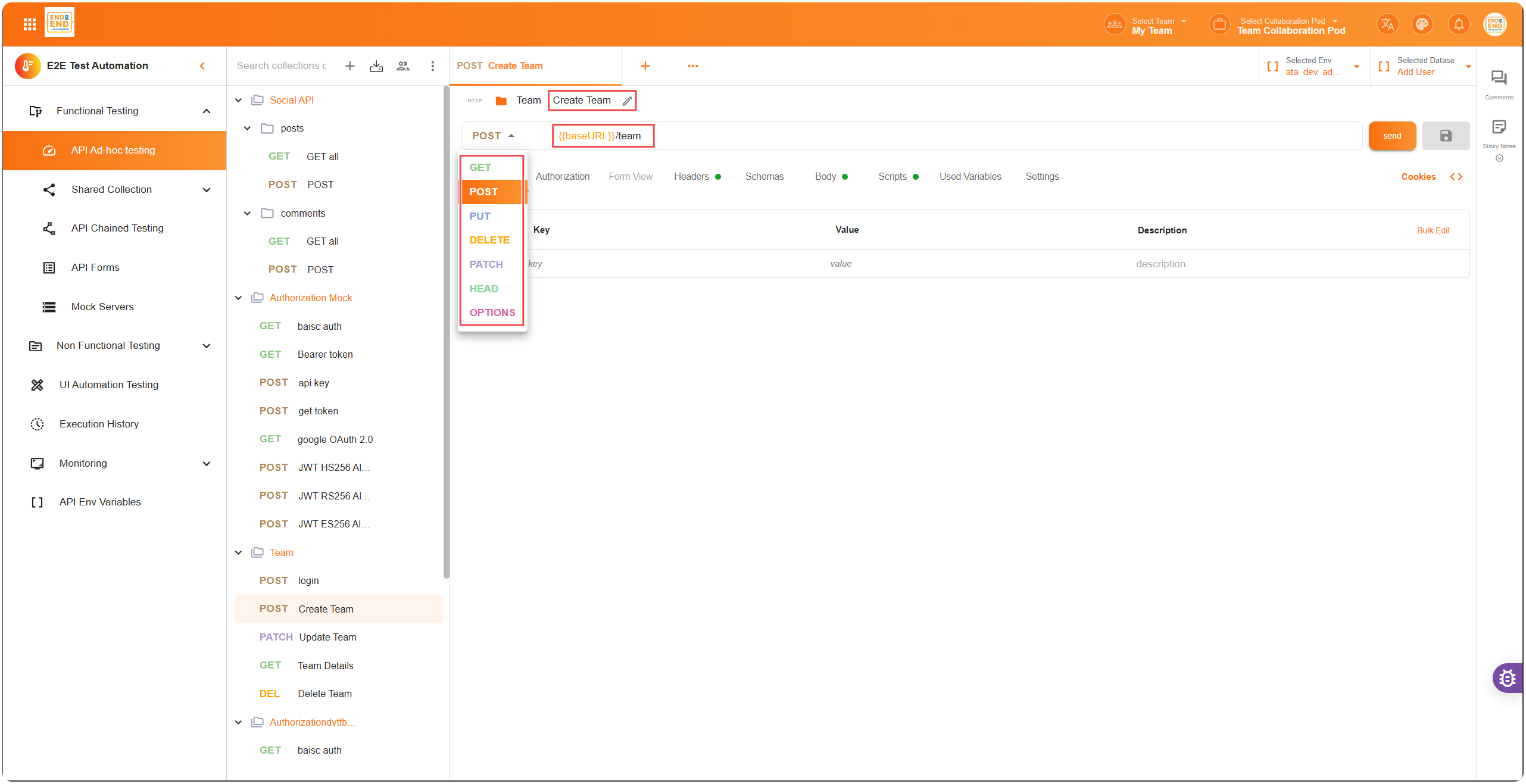
- Headers – Add any required headers like
Authorization,Content-Type, etc. - Body – If using methods like POST or PUT, define the request body in raw JSON or form data
- Request Name – Give your request a name (e.g.,
- Execute the Request – Click Send to execute the request and view the response.
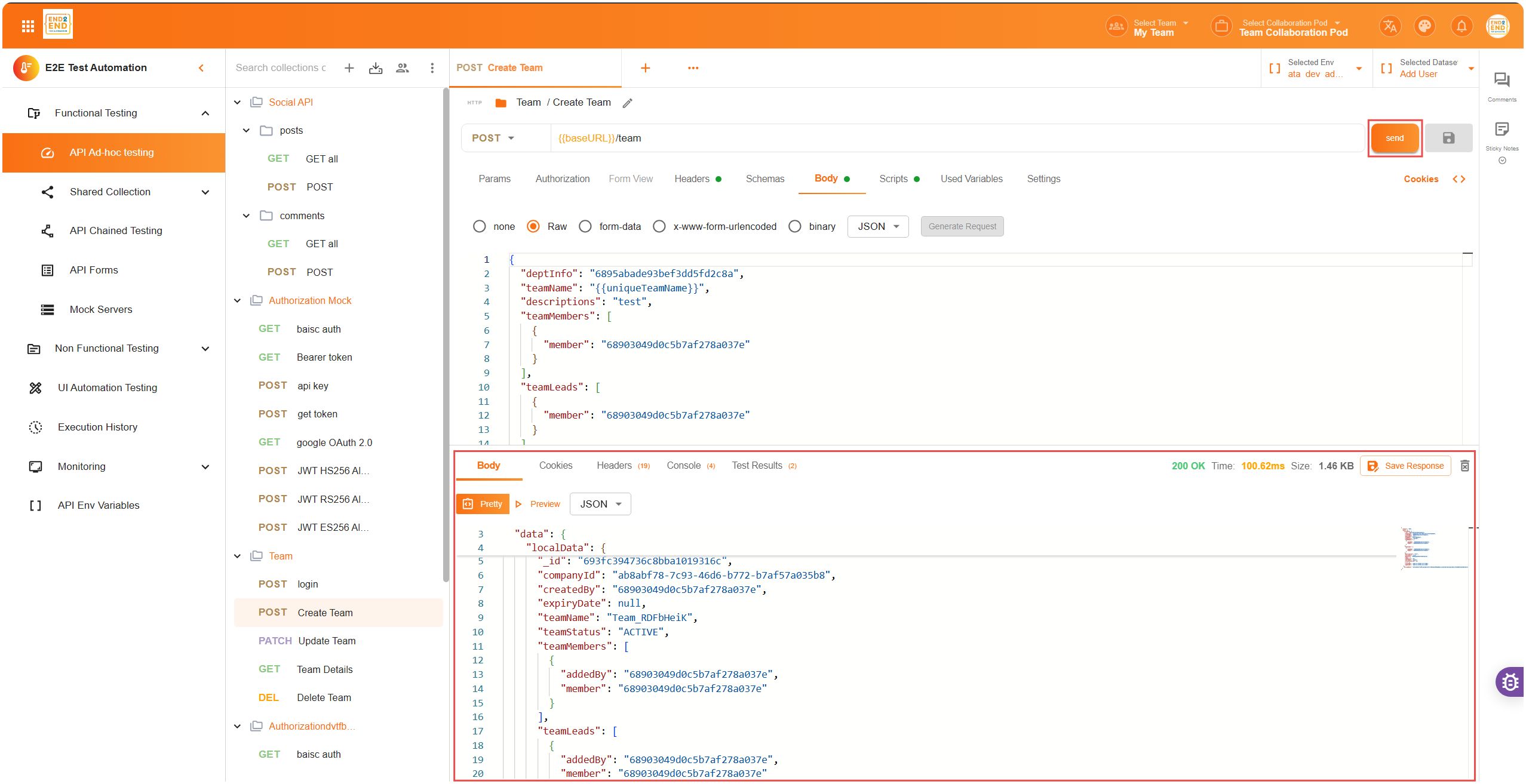
HTTP Request Example: GET
- Method: GET
- URL:
https://api.example.com/users/123 - Headers:
Authorization: Bearer <your_token> - Response Example:
{
  "id": 123,
  "name": "John Doe",
  "email": "john.doe@example.com"
}
✅ Summary
E2E Test Automation supports creating and managing HTTP requests, enabling you to handle a variety of use cases efficiently. HTTP for standard RESTful APIs that most web and mobile applications rely on
With E2E Test Automation’s comprehensive request creation interface, you can seamlessly work with requests, ensuring your APIs are tested, validated, and optimized for performance, security, and scalability.